How Do You Choose Direct Thermal Labels for Mobile Warehouse Printers
A mobile printer needs more than the right label width. The roll must fit its media compartment, feed through its sensor, survive movement on a cart or belt, and print a barcode that still scans after application. Start with the exact printer model and its media specification, then test a full roll during the work shift.
When comparing mobile thermal labels, match the material to the actual surface, printer, handling time, and scan conditions. A familiar size or low roll price does not prove the label will work in the complete workflow.
What the Label Must Accomplish
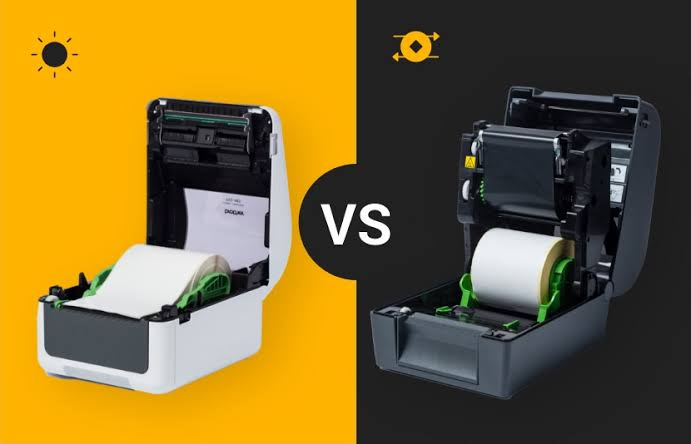
Mobile printers often have small compartments and short battery life compared with desktop units. A roll that fits by width may exceed the permitted outside diameter or use an unsupported core. Some devices require outside-wound media or a particular black-mark position. Check the manufacturer’s media path and sensor type. A roll that feeds at the desk can still jam when carried, bumped, or printed at an angle in the aisle.
Choosing the Label Construction
Specify label width and length, liner width, gap or mark, core inside diameter, maximum outside diameter, winding direction, and labels per roll. If workers print one label at a time, easy peel and clean tear matter. A heavy roll can make a handheld device awkward even if it technically fits. Choose an adhesive for the surface being labeled rather than assuming a mobile format implies a special adhesive.
Printing and Barcode Setup
Design the template for the printer’s print width and resolution. Small mobile printheads can produce excellent barcodes, but a crowded layout may force a symbol below practical scanning size. Set the printer speed and darkness using the chosen media, and check battery performance over a shift. If print quality deteriorates as the battery runs down, investigate power and printer settings before rejecting the label stock.
Application in the Real Workflow
Mobile labels are often applied immediately to shelves, totes, cartons, or assets in variable conditions. Keep the application surface clean and choose a label that a gloved operator can peel without touching the adhesive excessively. If the item is cold or wet, standard adhesive performance may change. A portable workflow benefits from a consistent label location and a quick scan immediately after application, before the worker moves on.
A Test That Reveals Problems Early
Load a complete roll and perform a real shift trial with walking, stops, battery changes, and repeated single-label prints. Count jams, misfeeds, wasted startup labels, and labels printed per charge. Scan fresh labels and labels after handling. Test a roll at the end of its diameter range, since a full roll can rub the housing even when a nearly empty roll runs smoothly. Record the exact printer firmware and settings used.
Common Failures and Their Causes
Common errors include buying a desktop-printer roll with the same width but a larger core, overlooking outside-wound requirements, or using a gap sensor with black-mark media. Another is packing more labels onto each roll until it strains the compartment. When a label fails, check loading orientation, sensor calibration, and printer condition before assuming the face material is defective.
What to Request From a Supplier
Provide the supplier with printer model, media specification, intended application, print template, expected labels per shift, and environmental conditions. Request a small batch of production-made rolls, not a hand-cut sample. Approve the stock only after the printer completes a full-roll trial and the barcode passes the site’s normal scan test. Keep the approved roll specification under version control when printers or templates change.
To order direct thermal rolls for this mobile thermal labels use case, specify the target surface, label life, printer model, size, core, winding, adhesive, and expected handling. Ask for a converted-roll sample in the proposed construction. The sample should pass the field test outlined above before the full purchase.
What a Full Shift Mobile Trial Should Show
A useful trial follows the worker, not just the printer. Observe whether staff can load a new roll with gloves, whether liner waste is manageable in an aisle, and whether the printed label is easy to peel without dropping the device. Compare print time and reprint frequency across battery states. Check wireless job delivery separately from media feeding, since both can look like a printer pause. A stock approval should document the roll part number, device settings, application surface, and the operator’s handling feedback.
How to Avoid Media Mixups Across Printer Models
Warehouse fleets often contain several mobile devices that look similar but have different media limits. Label cartons with the exact approved printer family and stock dimensions, and store visually similar rolls separately. A substitution should trigger a compatibility check rather than being treated as a routine replenishment. When a printer model is retired, review whether the remaining stock can actually be used elsewhere. This prevents a hurried shift supervisor from loading an incompatible roll that causes jams or missing labels at a critical pick location.
Include the user interface in the label trial. If the worker has to scroll through several similar templates on a small screen, a correct media roll can still be paired with the wrong layout. Keep approved templates named by job and surface, and scan the first applied label after a change of work area or device.
How to Decide Whether the Trial Passed
Set the acceptance criteria before testing mobile thermal labels. Record feed errors, print clarity, barcode scan rate, application time, edge lift, removal or residue where relevant, and damage after ordinary handling. Use the hardest surface and longest planned dwell period, not only a fresh label under ideal office conditions. If a sample fails, change one factor at a time so the result identifies whether print setup, facestock, adhesive, label geometry, or application method is responsible. Keep the approved sample and settings with the purchasing specification.
Can a Desktop Label Roll Be Used in a Mobile Printer
Only if every media dimension, winding direction, sensor feature, and material limit matches the mobile printer. The same label width is not enough. Check the manufacturer’s guide and test a full roll before buying cartons of stock.