Sniffies App Map How It Works and Privacy Tips
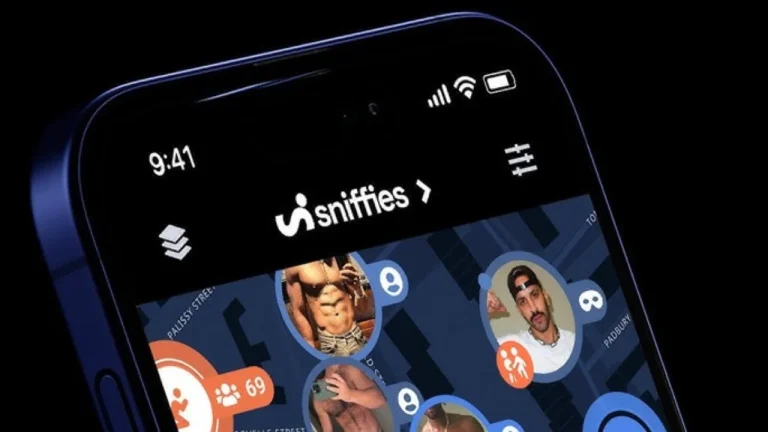
The Sniffies app map is a location-based map used to view other nearby users who have chosen to appear on the service. It is designed for adult social and dating connections, with a map-first layout rather than the profile-feed format used by many dating apps. Because it relies on location information and may include sensitive personal details, understanding visibility, distance, and privacy controls is essential before sharing anything.
Sniffies is commonly accessed through a web browser, including on a phone, rather than treated solely as a conventional app-store app. Its interface and options can change, so use the settings and help information available in the version you are using for the most accurate details.
What the Sniffies map shows
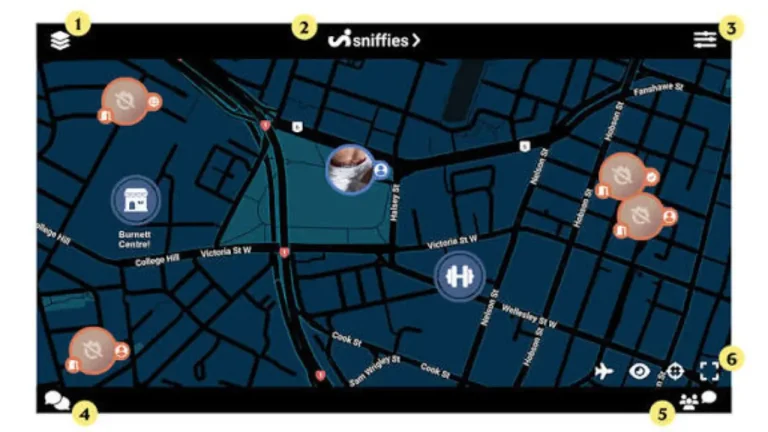
The map displays a local area with user markers or profiles that are currently visible to you. Selecting a marker generally opens a profile preview, which may show information a person has chosen to share, such as photos, a display name, interests, status, or a way to start a conversation.
A marker is not necessarily a person’s exact real-world position. Map-based services can use approximate placement, location masking, manually selected areas, or other controls that affect precision. A visible profile also does not establish that someone is available, interested, or physically present at a particular address.
The basic purpose is simple: it helps adults discover people nearby and decide whether they want to view a profile or communicate. The map itself does not replace consent, good judgment, or direct confirmation of plans.
Chaturbate Ebony Community, Features, and Growth Trends
How location works on the Sniffies app map
Location-based services typically obtain a device’s position through a browser or mobile operating system after the user grants permission. The accuracy can vary. GPS may be fairly precise outdoors, while Wi-Fi, mobile networks, VPNs, device settings, and poor signal can produce a broader or incorrect location.
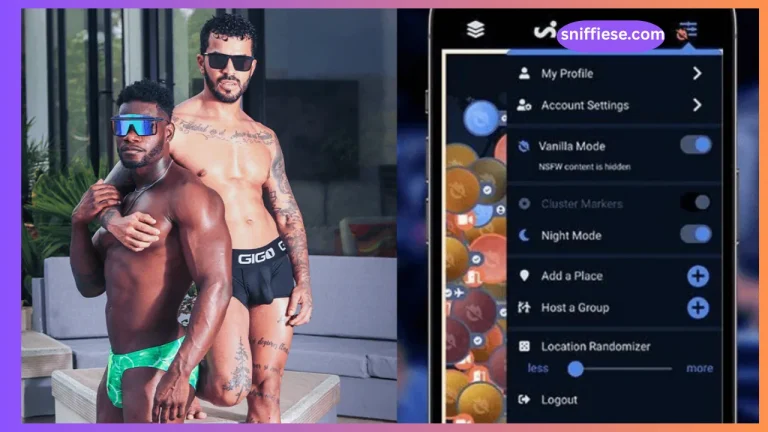
Depending on the controls offered by the service, users may be able to choose whether to appear on the map, use a less precise location, or place their profile in a selected area. Do not assume every map pin is exact—or that yours is hidden—without checking the current visibility settings yourself.
Distance and map position are different
A distance label, if shown, is an estimate of separation between two reported locations. It is not a route, an arrival time, or proof that a person is at a specific venue. Likewise, zooming in on map markers can create a misleading sense of precision even where locations are intentionally blurred or approximate.
Sniffies Meaning Context, Usage, And Definition
Why your location can appear wrong
If the map places you in the wrong area, common reasons include denied or limited location permission, an outdated browser location, a weak signal, a VPN or proxy, or an incorrect device time and location setting. Refreshing the page, reviewing browser permissions, and checking whether a VPN is active may help. Avoid repeatedly sharing a precise address in messages just to compensate for an inaccurate pin.
Using the map more safely
Before you browse or make your own profile visible, take a few minutes to decide what level of location and personal detail you are comfortable sharing. A map can make discovery convenient, but combining a recognizable photo, a precise location, a workplace reference, and a routine can make a person easier to identify than intended.
- Review location permission: Only grant the precision you are comfortable providing. Check browser and phone privacy settings as well as settings within the service.
- Check map visibility: Look for options related to appearing, hiding, pausing, or changing your map location. Read the on-screen descriptions carefully because labels and behavior may change.
- Limit identifying details: Consider whether profile photos, usernames, social handles, work details, vehicle images, or home interiors reveal more than you want to share.
- Keep conversations on-platform at first: Do not feel pressured to provide a phone number, personal social account, or address early in a conversation.
- Meet thoughtfully: If meeting someone new, confirm plans directly, tell a trusted person where you will be, and use your own transportation when practical.
- Use reporting and blocking tools: Block or report behavior that feels coercive, deceptive, harassing, threatening, or otherwise unsafe.
No setting can eliminate all risk. Screenshots, copied profile details, and ordinary conversation can still disclose information. Share only what you would be comfortable having retained by another person.
Finding people without exposing more than necessary
A useful approach is to begin with the least revealing setup that still lets you use the service. Browse profiles, learn how the map behaves at different zoom levels, and inspect your own visible marker before adding more profile information. If the service offers an option to be hidden or less precisely located, consider using it until you are familiar with the controls.
When messaging, ask practical questions without giving away a home address or exact routine. For example, you can discuss a general neighborhood or a public meeting place rather than naming an apartment building. If another user presses for identifying details, treats boundaries as a problem, or asks for money, step back from the interaction.
Privacy choices to check before posting a profile
Map use is only one part of privacy. The following areas deserve a review whenever you create or update a profile:
| Privacy area | Why it matters | Practical check |
|---|---|---|
| Location access | It affects where the service can place or estimate you on a map. | Confirm whether your browser has precise, approximate, or no location access. |
| Map visibility | It controls whether other users can discover you through map browsing. | Verify whether you are visible, hidden, paused, or using an adjusted location. |
| Photos | Images can reveal faces, landmarks, addresses, workplaces, and other identifiers. | Inspect backgrounds and remove metadata where your device or sharing method allows. |
| Profile text | Small details can identify you when combined. | Avoid a full name, employer, daily schedule, or exact home information unless you intend to share it. |
| Messages and media | Private chats can be saved or shared by recipients. | Send sensitive details and images only with clear, informed judgment. |
Privacy terms, age requirements, account options, and data practices are service-specific and can change. Read the current policies and in-product explanations before relying on any particular setting.
Common map problems and basic fixes
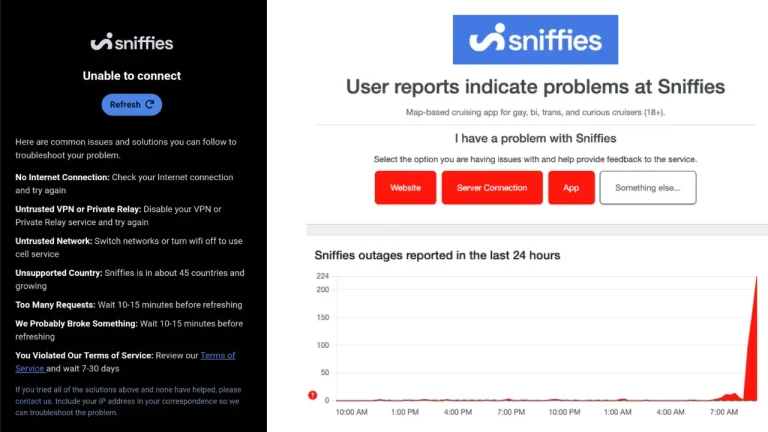
Many issues with the Sniffies map relate to browser permissions or connection settings rather than the map itself. Start with the simplest checks.
The map cannot find your location
Make sure location services are enabled on your device and that the browser is allowed to access them. Reloading the page can prompt a new permission request. If permission was previously blocked, change it in the browser’s site settings, then try again.
Profiles or map tiles do not load
Check your internet connection first. Then refresh the browser and consider temporarily disabling content blockers or privacy extensions that may interfere with map scripts, cookies, or page functions. Keeping the browser updated can also resolve compatibility problems. Do not disable protections permanently unless you understand the trade-off.
Your marker is in the wrong place
Check whether a VPN, proxy, or limited location mode is active. On a phone, moving to an area with a clearer signal and restarting location services may improve accuracy. If the service lets you set a map location manually, make sure you have not selected an old area.
You want to stop appearing on the map
Look in the service’s current profile, privacy, or location settings for a visibility or hide option. You can also remove site-level location permission in your browser. Removing permission may prevent accurate map features from working, so review the result after making the change.
What the map should not be used for
A proximity map is not a tool for identifying where someone lives, works, or spends time. Do not use it to track, monitor, confront, or contact a person who has not invited contact. Respecting map privacy includes avoiding attempts to infer an exact location from repeated sightings, landmarks, or distance changes.
It is also wise to be skeptical of profiles that demand money, request account credentials, push you to move quickly to another platform, or refuse basic boundaries. Do not send financial information, verification codes, copies of identity documents, or intimate media under pressure. Impersonation and scams can occur on many social platforms.
Frequently Asked Questions
Is Sniffies an app or a website?
Sniffies is generally used through a web browser and is designed to work on mobile devices as well as computers. Access methods can vary by device and region, so check the official service information for current options.
Does a pin show someone’s exact location?
Not necessarily. Location can be approximate, altered by settings, inaccurate because of technical limits, or intentionally masked. Treat a map pin as a general indication, not an exact address.
Can other users see your location if you use the map?
That depends on the service’s current visibility and location settings, along with the permissions you grant. Review your own profile appearance and privacy controls instead of assuming that browsing is anonymous.
Why is the map showing the wrong city?
Possible causes include browser location permission, weak GPS or network signals, VPN use, cached data, or a manually selected location. Check those settings, refresh the page, and try again with a stable connection.
What should you do about a suspicious profile?
Stop sharing personal information, use the platform’s block or report function, and preserve relevant messages if you need to make a report. If you feel in immediate danger, contact local emergency services.
Use the map with clear boundaries
The Sniffies app map is a nearby-profile discovery feature for adults, not a guarantee of precision, availability, identity, or consent. Get familiar with location permissions and map visibility before participating, keep identifiable details to a minimum, and treat every new conversation with reasonable caution. Those habits make it easier to use a location-based service while maintaining control over what you share.