YouTube Clipper: A Simple Guide to YouTube Clipping and Content Creation
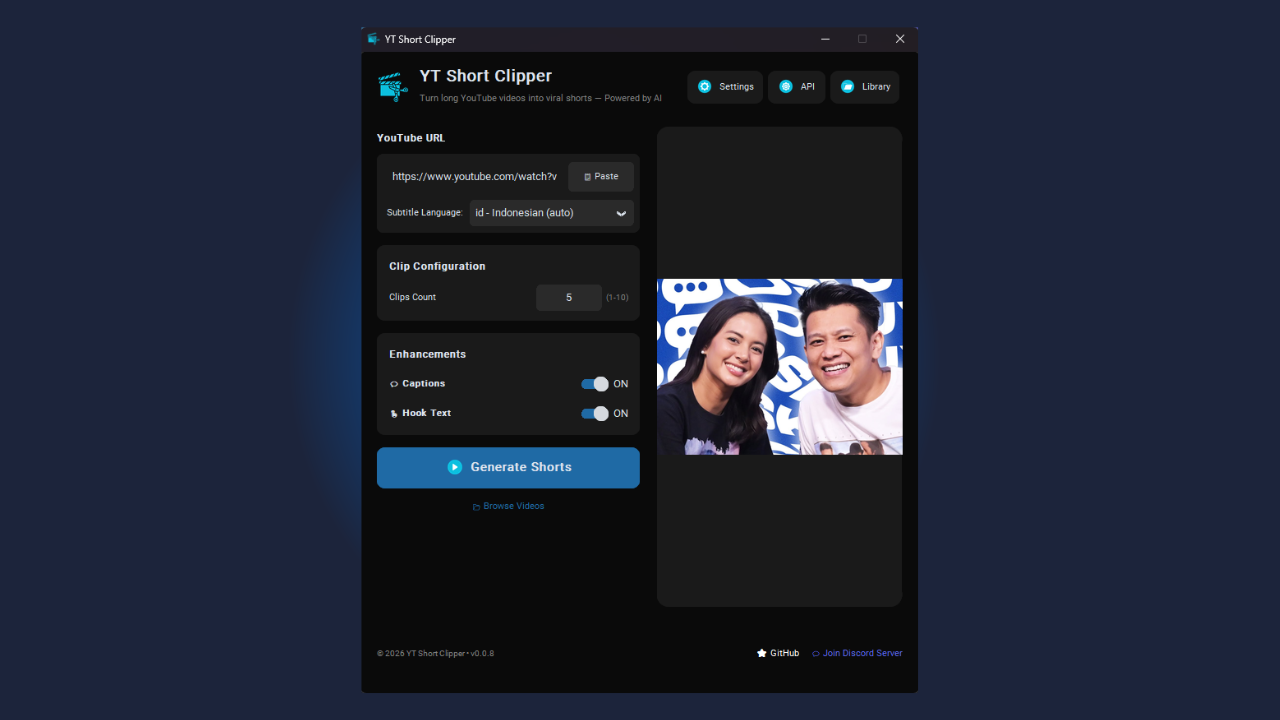
Video content has become an important part of social media, and creators often need to turn long videos into short, engaging clips. YouTube Clipper gives users a simple way to create clips from YouTube content for different content creation needs.
Short videos can help creators share useful moments, educational information, interviews, podcasts, entertainment, and other types of content. A good clipping tool can make this process easier without requiring advanced video editing skills.
What Is YouTube Clipper?
YouTube Clipper is an online tool designed around YouTube video clipping and content creation. It can help users work with video content when they want to focus on a specific section instead of using an entire long video.
This type of tool can be useful for creators, marketers, students, and social media users. Instead of spending a long time searching through a complete video, users can focus on the part they want to use for their content.
Why Use YouTube Clipper for Content Creation?
Creating short-form content can take time when every clip has to be edited manually. YouTube Clipper can make the clipping process more convenient for users who regularly work with online videos.
Creators can use short clips to highlight useful information, interesting discussions, important moments, or entertaining sections. These clips can then support content ideas for platforms such as TikTok, Instagram, Facebook, and other social media channels, subject to each platform’s rules.
Helping YouTube Creators Save Time
YouTube creators often produce long videos that contain several useful moments. A single podcast, interview, tutorial, or discussion can contain multiple sections that may work as separate short-form content.
Finding those moments manually can take considerable time. A clipping tool can help creators focus on selected parts of a video and organize their content ideas more efficiently.
Creators should still review every clip before publishing. Checking the video, audio, context, and intended audience helps ensure that the final content communicates the original idea clearly.
Turning Long Videos Into Short Clips
Long videos can contain valuable information, but viewers on social platforms often prefer shorter pieces of content. Short clips can make specific moments easier to share and discuss.
For example, a podcast creator could identify an interesting answer from a long interview and use that section as a short social media post. An educator could also focus on a useful explanation from a longer lesson.
The best clip usually has a clear purpose. It may answer a question, explain an idea, show an interesting moment, or create curiosity about the longer video.
Using Clips for Social Media
Social media creators use short videos in many different ways. Clips can be used for educational posts, entertainment, interviews, product discussions, tutorials, commentary, and other forms of digital content.
Different platforms may have different video formats and audience expectations. Creators should consider video length, aspect ratio, captions, audio quality, and presentation when preparing content for each platform.
It is also important to respect copyright and platform policies. Users should have the necessary rights or permission to reuse content when required, especially when downloading or publishing material created by someone else.
MP4 Downloads for Video Content
MP4 is a common video format supported by many devices and platforms. A video saved in MP4 format can be convenient for users who need a widely supported file type for editing or personal content workflows.
Creators may use compatible video files in editing software to add captions, cuts, transitions, graphics, or other elements. The final video can then be prepared for the platform where the creator plans to publish it.
Before downloading or reusing any video, users should check the copyright status and the terms that apply to the content. Downloading technology does not automatically provide permission to republish someone else’s work.
MP3 Downloads for Audio Content
Some users are interested in audio rather than video. MP3 is a widely used audio format that can be useful for compatible music players, editing programs, and other audio applications.
Audio extraction can be useful when a creator has the appropriate rights to use the source material. For example, someone working with their own content may want an audio version for editing or another approved use.
Users should avoid treating downloaded audio as automatically free to reuse. Copyright owners may have rights over music, interviews, podcasts, and other recorded material.
YouTube Clipper for Different Types of Creators
YouTube Clipper can be relevant to different types of creators because online video covers many subjects. Podcasters can identify discussion highlights, educators can select useful explanations, and entertainment creators can focus on suitable moments.
Social media managers may also work with short-form content as part of a broader content strategy. A collection of useful clips can provide additional material for social media calendars when the creator has permission to use the source.
The important point is to match the clip with the audience and platform. A strong moment from a long video may need additional editing or context before it works well as a standalone post.
Tips for Creating Better Video Clips
Good clipping starts with choosing the right moment. A clip should usually have a clear beginning and ending rather than starting in the middle of a sentence or discussion.
Audio quality is also important. Viewers are more likely to follow a clip when the speaker is easy to understand. Captions can also make short videos easier to follow, especially when people watch without sound.
Creators should also avoid removing important context. A short clip should represent the original content fairly and should not change the meaning of what the speaker said.
Final Thoughts on YouTube Clipper
Short-form video continues to give creators more ways to share information and connect with audiences. A practical clipping workflow can help turn longer videos into focused pieces of content for social media and other digital channels.
YouTube Clipper can be useful for creators who want to work with YouTube videos and explore clipping, MP4, or MP3 workflows. Users can learn more about the available tools and features through ytclip.com, while always checking copyright requirements before downloading or publishing content.